
Introduction
Imagine waking up to the smell of freshly brewed coffee, your favorite playlist starts automatically, and your home lights adjust softly to greet your morning mood. You didn’t press a button or ask anyone — your personal AI agent did it all.
Welcome to the age where Artificial Intelligence isn’t just a futuristic idea — it’s becoming a personal helper that learns about you, assists you, and simplifies your daily life. From managing tasks to controlling home devices, AI agents are slowly turning our smart homes into smart lives.
In this blog, we’ll explore what personal AI agents are, how they work, and how you can set up your own digital assistant to make life simpler, smoother, and smarter.

1. What Is a Personal AI Agent?
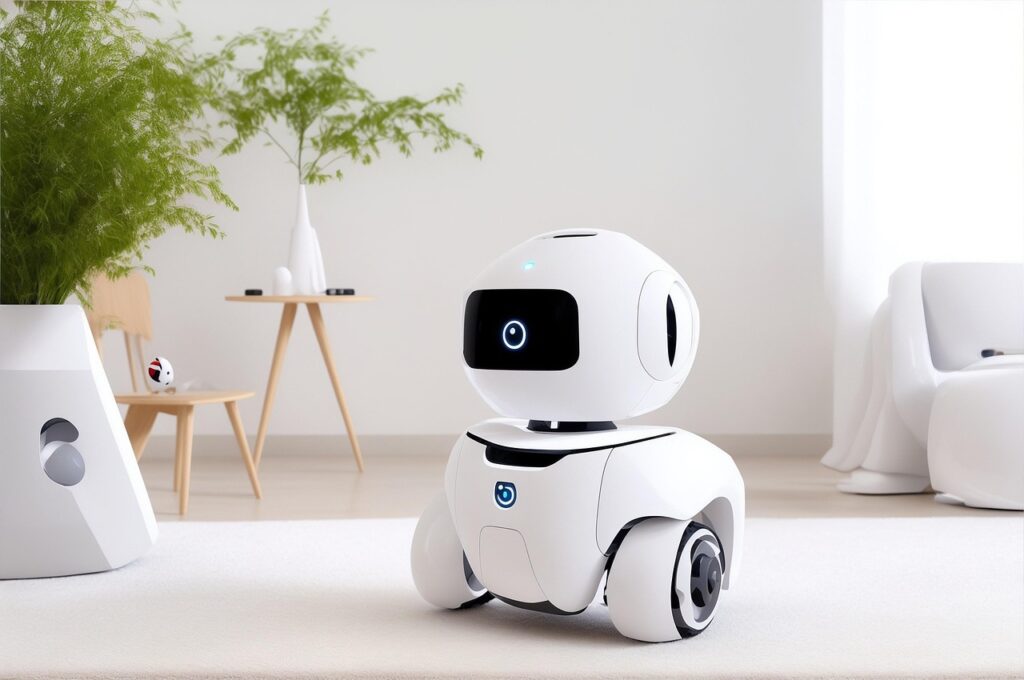
A personal AI agent is like your digital companion — an intelligent assistant that understands your habits, preferences, and routines to make your day easier.
Unlike regular voice assistants such as Siri or Alexa, today’s AI agents are more advanced. They can learn from your behavior, make independent decisions, and connect across multiple apps and devices.
For example:
- It can remind you to attend meetings and even send follow-up emails.
- It can control smart home devices — like lights, AC, and security cameras.
- It can track your health, suggest breaks, or help you meditate.
In short, it’s like having your own digital manager — available 24×7 and always learning how to serve you better.
2. Why AI Agents Are the Future of Daily Life
In 2025, AI agents are becoming mainstream. Tech companies such as Google, Apple, OpenAI, and Amazon are already integrating AI into everything — from phones to cars and even refrigerators.
Here’s why AI agents are gaining so much attention:
a. They Save Time
Your AI agent can handle repetitive tasks like replying to basic emails, summarizing documents, or scheduling appointments — giving you more time for what truly matters.
b. They Bring Everything Together
You no longer need 10 different apps. A personal AI agent can integrate calendars, emails, smart devices, and even your to-do lists into one smooth system.
c. They Keep Learning
Unlike traditional apps, AI agents evolve. They observe your choices — what you like, when you’re most productive, or when you need rest — and adapt accordingly.
d. They Simplify Complex Tech
You don’t have to be tech-savvy. With a few voice commands or taps, you can automate daily tasks that once felt complicated.

3. How AI Agents Simplify Different Parts of Life
AI agents are not just for tech enthusiasts — they fit into everyone’s lifestyle. Let’s look at how they make everyday living easier.
At Home
- Lighting & Temperature: Your AI can dim lights at bedtime or turn off appliances when you leave the house.
- Smart Security: Get real-time alerts, facial recognition for visitors, or automatic door locking at night.
- Entertainment: Your agent can suggest shows based on your mood or control music across rooms.
At Work
- Summarize emails or meeting notes.
- Plan your daily schedule to maximize productivity.
- Create reports or organize files using AI tools like Notion AI or Google Workspace.
For Personal Wellness
- Track your sleep or remind you to take a walk.
- Suggest meditation or stretching sessions during long working hours.
- Even detect stress levels through wearable devices and recommend relaxation activities.
For Finances
- AI can track your expenses, categorize spending, and alert you about bills.
- Some tools even create smart budgets or investment insights based on your habits.
4. Setting Up Your Own AI Agent (Step-by-Step Guide)
Creating your personal AI setup doesn’t require coding or expensive devices. Here’s how you can start:
Step 1: Choose Your AI Platform
Pick an AI assistant that suits your needs:
- Google Gemini / Assistant: Great for Android and smart home control.
- Apple Intelligence (Siri): Perfect for iPhone users with privacy focus.
- Amazon Alexa: Ideal for managing home devices.
- ChatGPT + Zapier or Notion AI: Works across web tools for productivity automation.
Step 2: Connect Your Devices
Start linking devices like smart plugs, lights, and thermostats. You can use apps like Google Home or Alexa to manage them in one place.
Step 3: Integrate Productivity Tools
Connect your calendar, Gmail, or task apps. This helps your AI agent manage reminders, meetings, and notes automatically.
Step 4: Create Simple Automations
You can set easy commands such as:
- “Good morning” → Turn on lights + play news briefing.
- “Goodnight” → Turn off all lights + lock the door.
- “Focus mode” → Silence notifications + start productivity music.
Step 5: Train Your AI
Talk to it daily, correct it when needed, and let it observe your routines. The more you interact, the smarter it becomes.
5. Making the Most of Your AI Agent
Be Consistent
Use it regularly for reminders, notes, or automation — consistency helps it learn faster.
Personalize It
Teach your AI your preferences — favorite music, office timings, or grocery lists.
Keep Updating Devices
Smart devices get better with firmware updates, improving security and speed.
Experiment
Try connecting AI with your email, fitness tracker, and even social media — but always check privacy settings first.
6. The Future of Personal AI Agents
The next generation of AI agents won’t just respond — they’ll act on your behalf.
Imagine your agent booking your flight, finding the cheapest hotel, or suggesting a weekend getaway when your calendar looks free.
Emerging trends include:
- Voice + Vision AI: Agents that understand both what you say and what you show them.
- Cross-App Actions: Automatically doing tasks across apps (like sending a WhatsApp reminder from a calendar event).
- Emotional Intelligence: AI that understands your tone or mood and reacts empathetically.
As these technologies mature, our relationship with devices will feel more natural — more like a conversation with a helpful friend than a machine.

7. Staying Safe and Responsible with AI
While AI brings comfort, it’s important to use it wisely.
✅ Review Privacy Settings
Always check what data your AI agent collects. Disable unnecessary permissions like camera or location when not needed.
✅ Avoid Sharing Sensitive Info
Never store bank passwords or personal IDs in AI chats or automation tools.
✅ Use Reputable Platforms
Stick with trusted AI services that clearly explain their data policies (like Google, Apple, or OpenAI).
✅ Balance Automation & Control
Let AI handle repetitive tasks but keep personal decisions — like finances or privacy — in your own hands.
8. Real-Life Examples of AI Agents in Action
- Smart Homes: A family in California uses Alexa and smart plugs to cut electricity use by 20%.
- Freelancers: Many writers use ChatGPT or Notion AI to plan content and manage deadlines.
- Parents: AI reminders for kids’ routines, homework alerts, or bedtime stories.
- Seniors: Voice-controlled home assistants help elderly people stay independent and connected.
These examples show how AI agents aren’t just tech trends — they’re practical helpers for all ages.

Life today is busier than ever. Between work, home, and self-care, we all need a helping hand — and AI is stepping up in the most personal way.
A personal AI agent doesn’t just make things convenient; it gives you peace of mind. It takes care of small tasks so you can focus on what truly matters — spending time with family, chasing dreams, or just enjoying your morning coffee.
As you set up your AI agent, remember — it’s not about replacing human effort, but about freeing time to live better.
So go ahead, connect your devices, teach your AI your routine, and watch your smart home evolve into a truly smart life.
At Aieversoft, our mission is to help you use AI in the most human way — to save time, reduce stress, and live better every day.
FAQs
1. What is a personal AI agent and how does it help balance my day?
A personal AI agent is a digital assistant that learns your routines, priorities, and preferences to automate tasks, suggest schedules, and nudge you toward healthier workflows — helping you spend less time on busywork and more on what matters.
2. Can a personal AI agent truly understand my priorities?
Yes — modern agents use preference signals (calendar choices, task completion, feedback) to build a model of your priorities and then make context-aware suggestions that improve over time.
3. What daily tasks can an AI agent take off my plate?
Common tasks include scheduling and rescheduling, email triage, reminder management, meeting prep, follow-up automation, focus timers, and summarizing long documents or meetings.
4. Will using a personal AI agent invade my privacy?
Not necessarily. Many agents let you control permissions and store data locally or encrypted in the cloud. Always check privacy settings and choose agents with transparent data practices.
5. How do I set realistic boundaries so the AI doesn’t take over my decisions?
Set clear rules in the agent (approve before scheduling, limit automatic replies, and define “do not disturb” hours). Treat the agent as an assistant — not a replacement for your judgment.
6. Can a personal AI agent improve my work–life balance or reduce burnout?
Yes — by automating low-value tasks, enforcing focus windows, suggesting breaks, and even nudging you to say “no” to nonessential meetings, agents can reduce cognitive load and prevent burnout.
7. Do I need technical skills to use a personal AI agent?
No — many personal agents are built for non-technical users with simple onboarding, visual rule editors, and natural-language controls. Advanced users can add integrations or custom automations.
8. How does an AI agent handle unexpected schedule changes?
Good agents re-prioritize tasks, suggest alternative meeting times, notify affected people, and surface the most critical actions for the day so you stay on track when plans change.
9. Are there risks if I rely too heavily on an AI agent?
Over-reliance can weaken decision-making habits and reduce situational awareness. Balance automation with intentional review and periodically audit the agent’s rules and suggestions.
10. What should I look for when choosing a personal AI agent?
Prioritize ease of use, integration with your calendar and tools, privacy controls, transparency about what it automates, customization options, and a clear undo/approval workflow.